Now available!

ArionFX for Photoshop©
Dealing with 32-bit HDR images can still be problematic nowadays, as few software packages support 32-bit formats properly.
ArionFX for Photoshop is a versatile tool that offers a variety of key HDR image processing algorithms designed to function in floating-point 32-bit HDR data. Remarkably, ArionFX operates in Linear Workflow, not washing out your image, and respecting its full dynamic range at all times.
Whether you are a photographer or a CGI artist seeking for advanced HDR tonemapping, firefly removal, glare, bloom... ArionFX is a must in your toolchain.
"We downloaded and gave a try to this amazing plugin for Adobe Photoshop CC and we really enjoyed the standalone interface (like Camera RAW)"
Elena Kartseva, 3d Architettura, Digital Architecture Magazine.
Watch what ArionFX can do
New features and improvements
HDR upcast to accentuate lens effects New in v3.5.0
Sometimes the dynamic range of the input image is not enough to achive the amount of glare and bloom that you are after.
HDR upcast allows to set a threshold for luminance to pump up or dim out the contribution of certain pixels in lens effects.
The video above features an HDR upcast pass, applying a x25 factor on the brightest pixels to create a strong, stunning glare.
Color grading New in v3.5.0
Color grading can greatly enhance your images by modulating the color channels directly from the ArionFX User Interface in full 32-bit floating-point precision.
ArionFX color grading works on all channels at once, or selectively and non-destructively on shadows, midtones and highlights.
Colorspace New in v3.5.0
ArionFX allows you to select the colorspace embedded in the file as well as the colorspace to use for the final output independently.
Respecting the input and output colorspaces ensures that the output file seamlessly matches any pre or post-production workflow.

Aperture, obstacle an dirt maps New in v3.5.0
ArionFX supports custom aperture, obstacle and dirt maps.
Old, cheap and very wide angle lenses often exhibit a vignetting effect, which is a brightness reduction at the periphery of the image due to the lens body blocking some light.
And also chromatic aberration which is the result of incorrect focusing on the film of light entering the lens.
Chromatic aberration & vignetting
Old, cheap and very wide angle lenses often exhibit a vignetting effect, the brightness reduction at the periphery of the image due to the lens body blocking some light and chromatic aberration which is the result of incorrect focusing on the film of light entering the lens.
Although typically unwanted in photography, these effects are often used by CGI artists as they easily give an authentic photo-look to computer generated images.
In the real world, vignetting is often an inseprable companion of chromatic aberration.
It is, however, not very easy to achieve all these manually by shifting color channels or by masking the image radially.
ArionFX simulates these effects accurately in full high dynamic range.
Hotpixel and firefly removal
Our proprietary despeckler algorithm analyzes the image for pixels (or clusters of pixels) with a luminance that can be considered to be 'out of range' and which most likely frorm a firefly or an artifact.
Such hotspots are common residuals from unfinished renders made in Path Tracing renderers. They are often difficult to remove manually or automatically without damaging the image.
Because the ArionFX Despeckler works on the context surrounding each pixel, it is capable of removing fireflies without damaging legitimate features of the image. The tolerance of such behavior can be controlled with a cluster size and certain thresholds, to corner larger than 1px hotspots without sacrificing legitimate features such as specular highlights.
Bloom and Glare
Doing proper Bloom and Glare effects in post-processing is not an easy task. ArionFX simulates those effects physically, computing light diffraction based on the iris shape and the raw intensity of pixels in the image (with an optional HDR upcast pass).
Bloom is perfectly suited to simulate soft-focus lenses or the light overflow caused by a circular aperture.
Glare produces beautiful lens diffraction branches and fringing. It can even be mapped with obstacle and dirt maps to add even more realism or an original artistic look.
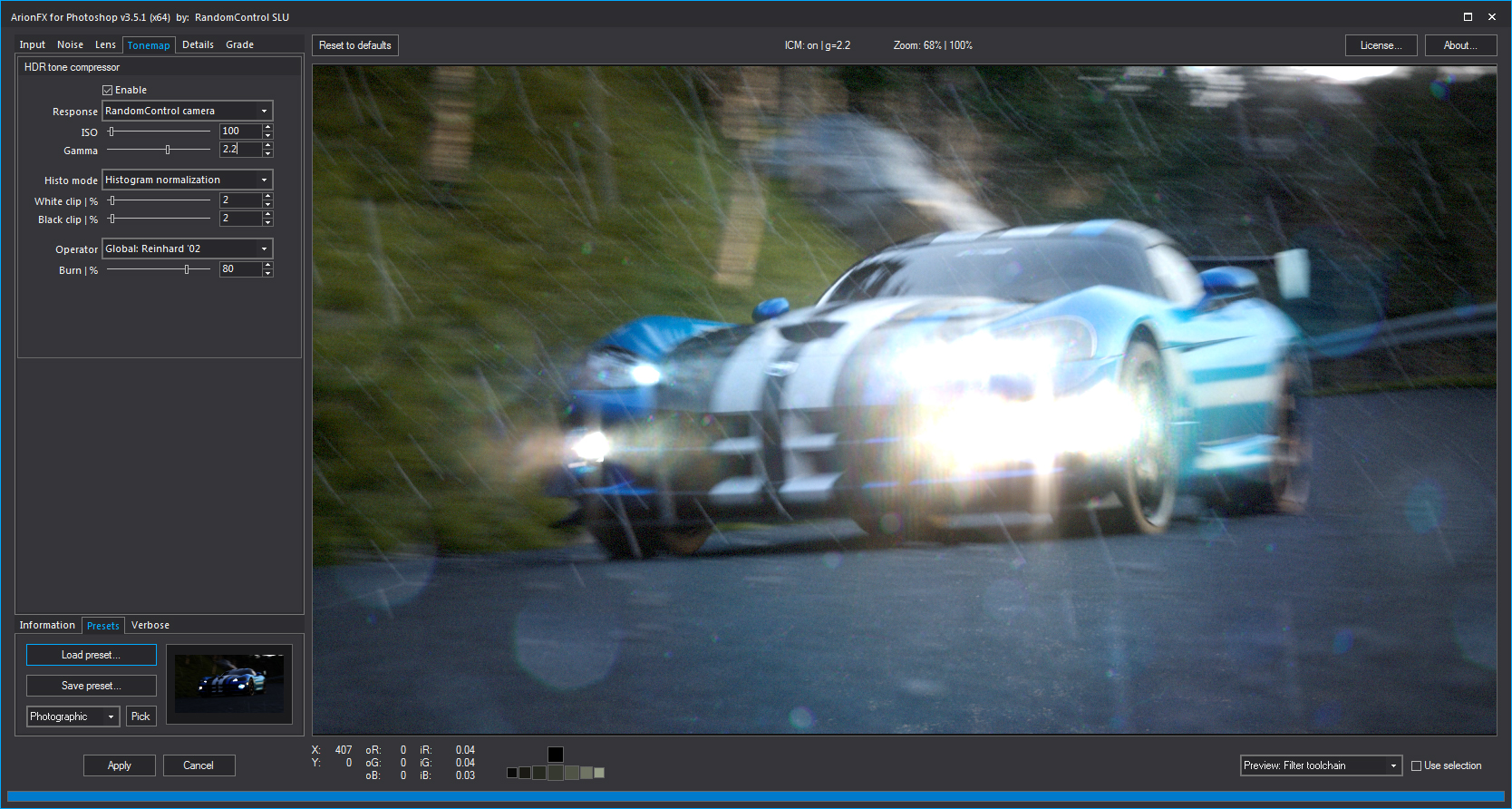
Tone-mapping
Many applications provide tone-mapping operators for high dynamic range images, but none like ArionFX.
Five different operators ensure that every possible high dynamic range situation is easily handled by ArionFX.
If you have a high dynamic range image, ArionFX can process it and reveal all the details hidden in under-exposed and over-exposed areas of your picture.